
Create and dissolve groups
If you want to create or delete a shelf group, you can do so in the Store Design tab by clicking on Create Group or Delete Group.
Create group
Select the shelves or sections to be grouped and click Create Group.
The following window will open:
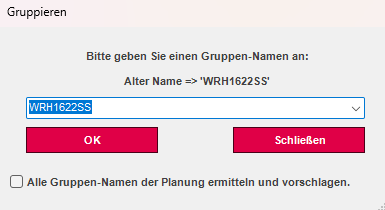
There, enter a new or existing group name and press OK. The selected shelves were then assigned to the same group.
Dissolve groups
Pressing the Ungroup function will ungroup the first group of selected elements.
Group at zero point
If you have moved a section or shelf before it has been fully constructed, you can reset it to the zero point.
To do this, select the desired shelf and group it first. Then click on the Group to Zero Point function.