
Article properties in Visual-Store
If you have designed a 3D object and want to evaluate it in the bill of materials afterward, proceed as follows.
Create article
- Select your 3D object and form a group [STRG-G], where the article information will be stored later
- In the register Shopfitting click on the Properties-Symbol
- I'm Properties window Can you now set the following values:
- Item number
- Color
- Description
- Catalog
- manufacturer
- Category
- Depth
- Width
- Height
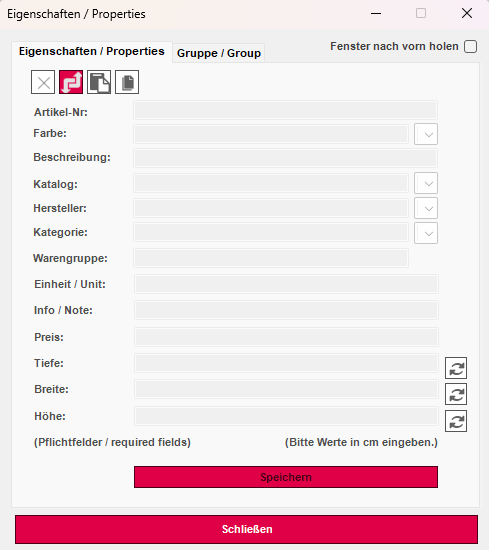
- With Customize Properties, the values are adopted.
Make sure all fields are filled in, otherwise you will get an error message.
When you save or export your article, the properties are retained.
I'm Bill of Materials window Please ensure the checkbox is checked for, Use dimensions from the object properties, so that they are displayed correctly.