
Catalogs in multiple languages
For each catalog, a language definition can be provided, which contains:
- the language ID,
- the item number
- the description for the item in each language.
A language definition could be: 5000_lang.xml
All language definitions should be in a central folder on the hard drive.
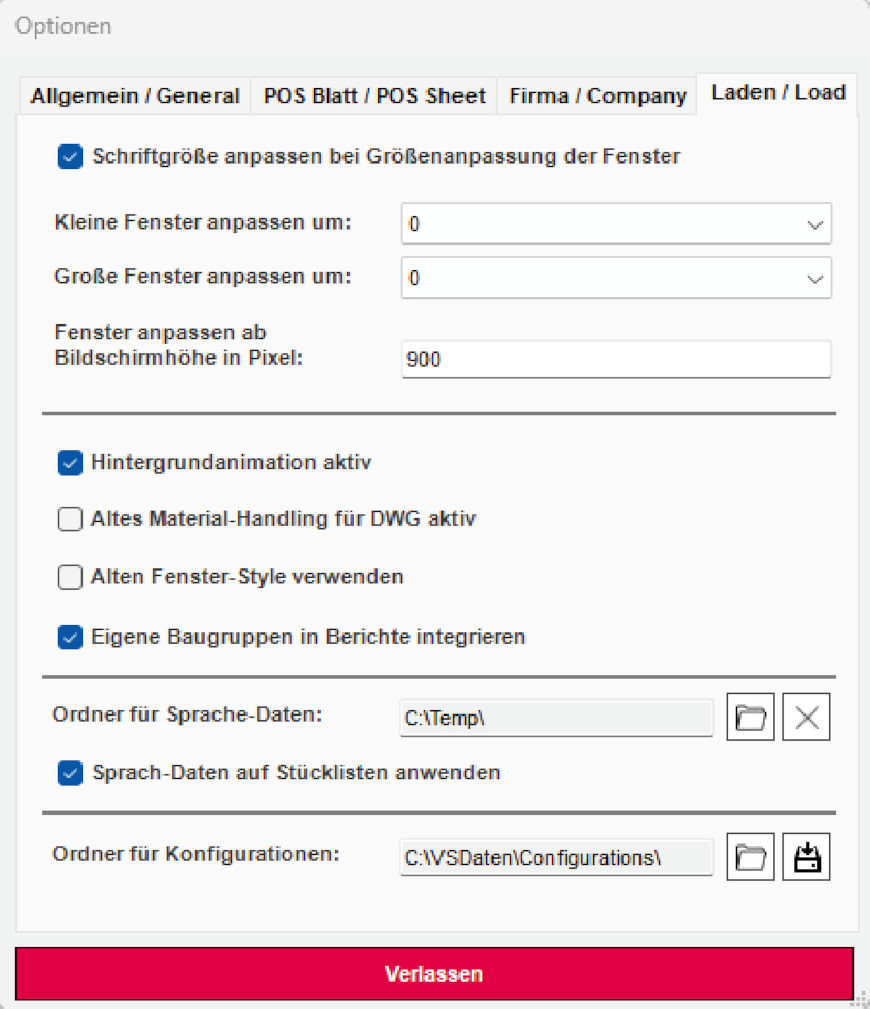
In the Planner, the central folder for language definitions is set under: => Cabinetry => Tools => Options in the tab: Charge
The application of languages in the Planner is done on the bill of materials. This can be globally enabled or disabled via an option under: => Cabinetry => Tools => Options In the tab: Charge
Within the planning, the language to be evaluated can now be defined. To do this, the properties window of the planning must be opened within the planner under: => Menu => File => Document Properties In the tab: Settings
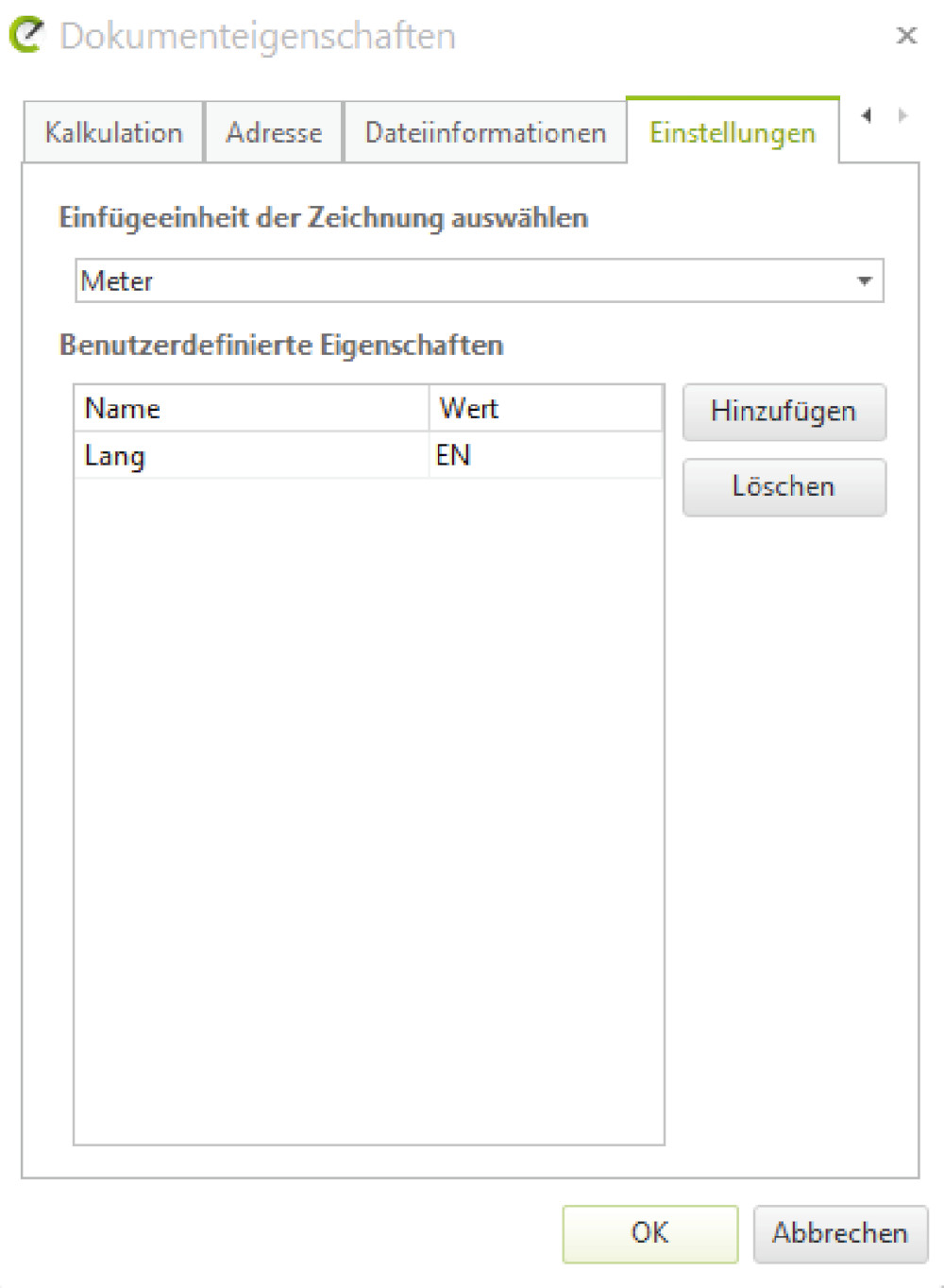
Within this mask, a new property will now be „Long“ with the value e.g. „EN“ defined for the English language. The language codes are the same as in the catalog tool. Only one language evaluation can be defined per plan at a time. If the language is to be changed, the value must be adjusted here.