
Catalogs
Please click on the „Steel Construction“ tab in the top ribbon with your mouse. A new submenu will open. There, select „Catalog.“ An article catalog with all stored manufacturer data will open. Here you can now select your sections as follows.
- The desired catalog is selected in the upper selection box
- In the selection box below, the various product groups can be selected.
- In the list below, assemblies and sections are selected
Catalog Window
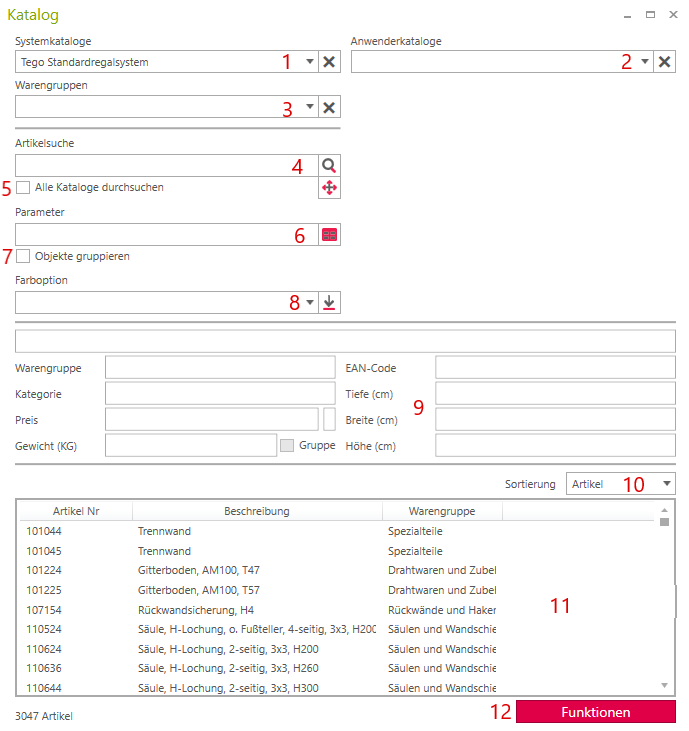
- Manufacturer Catalog Selection
- Own Catalogs
- Selection of various product groups such as foot sections, columns, shelves, etc.
- Search by article number or description
- Global search across all catalogs
- Item Placement
- Group objects
- Selection of available colors
- Display detailed item information
- Article List Sorting
- Article list with article number and description
- Features (Save settings, Import item data, ...)