Subtract
To subtract one object from another, do the following:
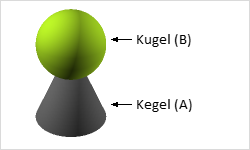
- Select the element from which another body or surface will be subtracted (A).
- Click the command Subtract I'm registered Edit
- Select the item to be subtracted from the first body (B).
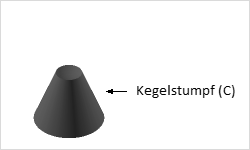
The result is that the portion of the second object that intersects with the area or volume of the first object is subtracted from the first object (C). To execute the command, ensure that the objects (2D or 3D drawing elements) have common intersection edges or penetrate each other.