Material Editor

To display the Material Editor, please click the Material Editor icon on the right side of the toolbar.
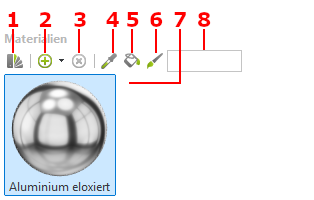
Menu bar
- Open material catalog
- Create New Material
- Delete marked material
- Material pipette
- Trash can
- Assign
- Material Preview
- Filter / Search for Materials
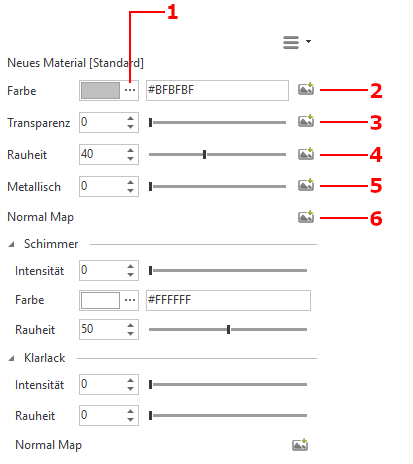
Settings
- Material color
- Selecting a texture
- Transparency
- Setting roughness via input or via texture
- Setting whether an object is made of metal via input or by means of a texture
- Normal Map, Surface Simulation