
Connecting Multi-User Environments to SQL Server
In multi-user environments, connecting the client to the database can be done via Admin for all users on the terminal server or PC system.
These steps do not have to be repeated for each user profile in Windows.
-
-
-
-
- Start VStore Installer with Administrator privileges
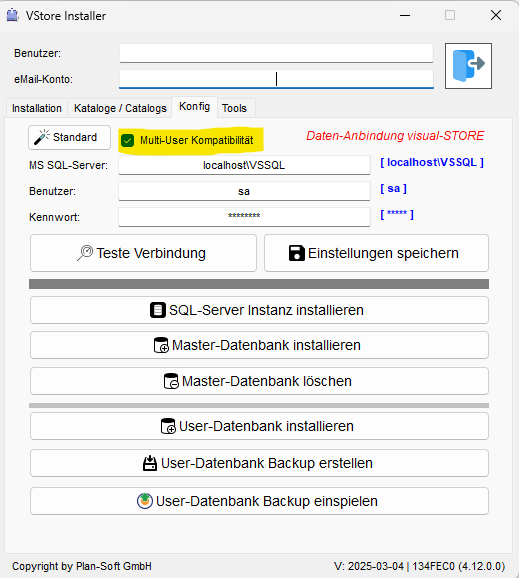
- Now enter the connection data for the SQL server (using „Standard“ for the default).
- Select the „Multi-User Compatibility“ option, see screenshot.
- Now, perform a functional test of the SQL Server by „Testing Connection“
- Then save these „Save Settings“
- The connection of visual-STORE to the database has now been successfully completed.
- With visual-STORE, the database can now be accessed
-
-
-
If you the VStore Installer those who have already installed it, you will find this in the default folder also under c:\vsdaten here is the program VStore_Installer.exe.