Catalog Installation
Keep your catalogs up to date with online updates.
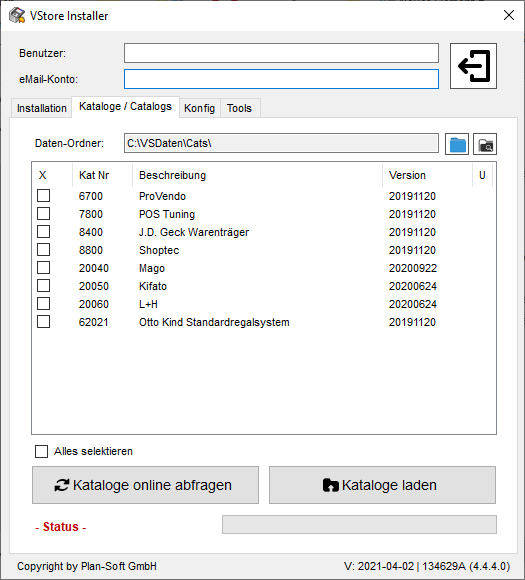
To install our catalogs you will need the VStore Installer.
Steps to Install Catalogs
- Start VStore Installer (you can also find it at C:\VSDaten).
- Select the „Catalogs“ tab.
- Enter your login details for the download area here.
- Now retrieve the current catalogs „Query Catalogs Online“.
- Select the desired catalogs.
- Now call „Load Catalogs“.