
Modules / Cutting Building
Catalogs within visual-STORE are organized by assemblies. In most cases, these assemblies consist of multiple individual items. This simplifies organization and handling when setting up shelves.
These assemblies can be identified by specific assembly designations.
With the Shelf Configurator creating cuts is even easier.
Overview
Assembly designation
Example of an assembly designation GL1622CS
| Great question | Smooth metal back panel | |
| 16 | Footrest height | 16 cm |
| 22 | Component height | 220 cm |
| C | Axle dimension | 1 meter |
| S | Variant | Standard |
For better clarity, it is recommended to hide the existing plan. You can achieve this by going to „Start“ -> „Hide Selection“ (the plan must be selected).
Then switch to the view window on the right and load all assemblies.
Example of basic shelf input
- In the „TEGO Standard Shelf System“ catalog, enter the following assembly: S1647CS (Base Assembly AM:100). To complete the process, press [ENTER].
- A double-click on the article number „S1647CS“ loads the first assembly and positions it at the zero point.
- Next, enter the following assembly: GL1624CS (Back panel AM:100)
- Complete this operation with [ENTER] as well, and load the assembly with a double-click.
- Next, the shelf assemblies are read in. To enable precise positioning, visual-STORE offers the vo parameter.
This also allows multiple assemblies to be read in one step. Parameter control can also be used at this point.
vo = Move Up
By specifying multiple values (in meters!) separated by / , an assembly can be read in at different heights simultaneously.
Example with the „vo“ parameter“
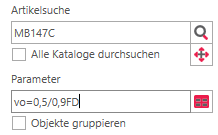
The example must be entered in the catalog window as follows:
- Assembly: MB147C
- Parameter: vo=0.5/0.9
- Shelf module depth 47 cm and AM:100
- Reading in 2 shelf assemblies, which are moved upwards by 50 cm and 90 cm
- The assemblies are read in and positioned by pressing [ENTER] after confirming the values in the parameter field.
Example 2 with the parameter „vo“
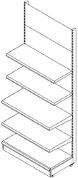
Read the next two shelf assemblies.
- Assembly: MB137C
- Parameter: po=1,3/1,7
- The shelves will be positioned at 130 cm and 170 cm upwards from the zero point. Complete this process with [ENTER].
- Once you've made all the entries, the cut should look like the one next to it.
- Now close the catalog window by clicking „Close“ and select the entire cut.
Create group
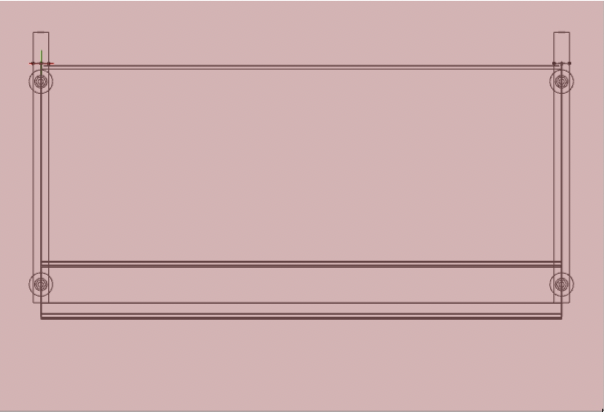
- Next, click the „Create Group“ icon in the "Loading" tab.
- After that, a new window opens. Assign the group name there:
„Wall shelf Standard.“ With that, our first cut is complete.