
Generating mid-cabin pods
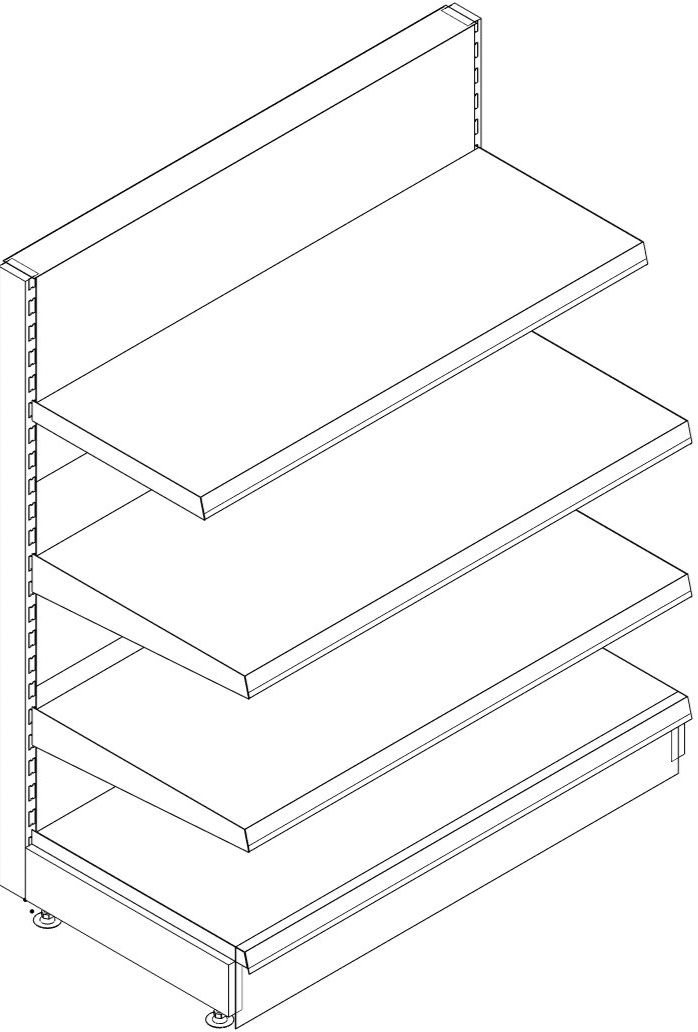
For example, open the Tego catalog and load the following assemblies.
Populating the first page
- Base assembly S1647CS
- Rear panel assembly GL1612CSG
- Shelf Assembly MB147C | Parameters: vo=0.4/0.7
- Shelf assembly MB137C | Parameter:vo=1
Populating the second page

Click the [ in the catalog window.„place“ Symbol
In the context menu that appears, click „Settings Placement“
Apply the following settings:
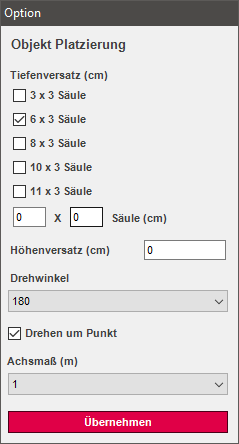
- Depth offset: 6x3
- Height offset: 0
- Rotation angle: 180
- Axle dimension: 1
Base assembly: S1647CS
Click the icon again for the Placement. In the menu that opens „Apply placement“. This way, the base is read in on the back.
Shelf unit: MB147C
Select the icon for the Placement and choose at this point Generate parameters Now in the catalog window, the following Parameter displayed.
- Parameter: vt=-0.06vw=180vr=-1
- Supplement this with the following values:
- vo=0.4/0.7
Shelf Module: MB137C
„Generate parameters“ and append the parameter with:
vo=1
Column depth and rotation angle settings are saved.
Alternative Method: Populating the Second Page
- Next, select the assemblies you just created and go to the right in the „Home“ tab; select „Hide Others“ there.
- Now you only see the gondola that was just created. This allows you to edit the gondola more easily.
- Now switch to the „Legal“ workspace and maximize it.
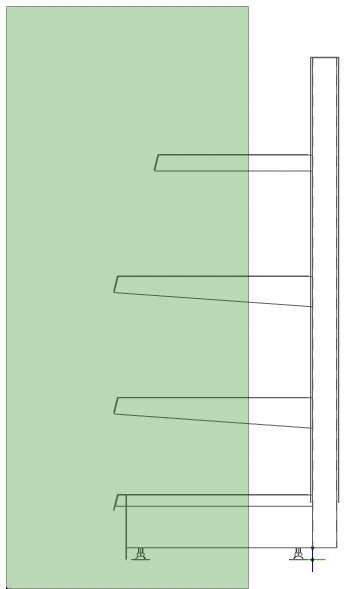
- Now, select all the shelves and the base from the top right to the bottom left. As you can see, the selection frame is now green. Please select the components as shown in the right-hand picture.
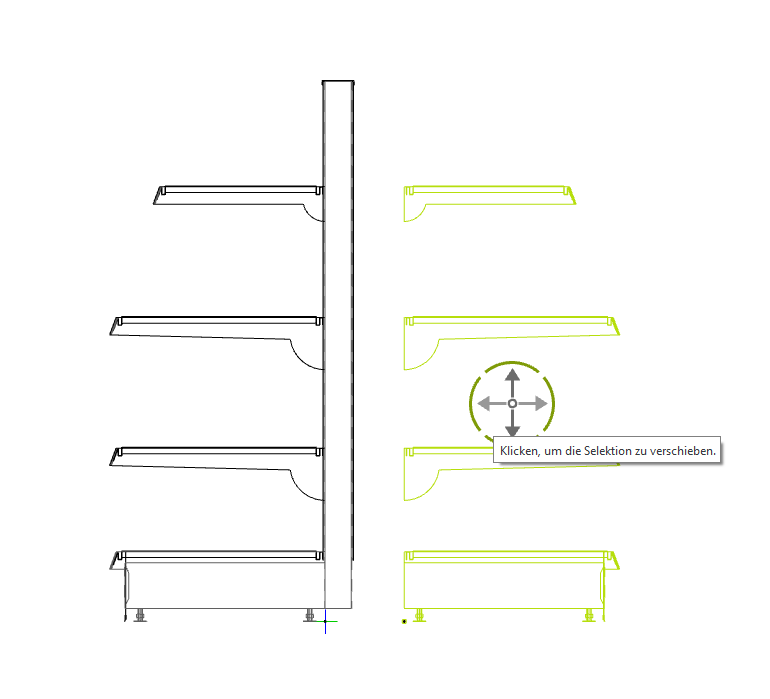
- Go to the „Edit“ tab and select „Mirror.“ Move your mouse to the lower right point of the column, click the left mouse button, and then press [CTRL] and move the mouse to the left.
- Now let the [CTRL]- Move the cursor over the object and click the left mouse button again. The object is now mirrored and highlighted in green. Now move it 6 cm to the left.
- Select the entire section now and assign the group name „Standard Center Aisle Gondola“ in the „Shopfitting“ tab. Then switch to the upper workspace and move the section slightly to the right.