
Creating quotes
Overview
- Overview
- Registering your company address
- Customer address deposit
- Offer settings
- Accumulation of supply
- Template selection for quote
Registering your company address
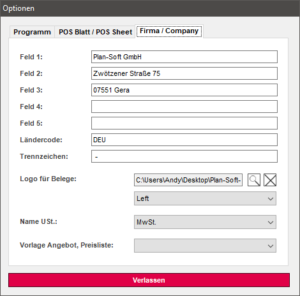
- Register Store construction
- Tools
- Options
- Knight Company
In this window, the VAT and the company logo can also be defined.
To define the company logo, click on the Lupin Symbol and select your logo graphic in the opening window.
The logo must not exceed a maximum height of 100 pixels and must be of file type JPG or PNG.
With a click on Leave, the information will be stored.
These data are stored centrally for all planning.
Customer address deposit
- File → Document Properties
- Rider's address
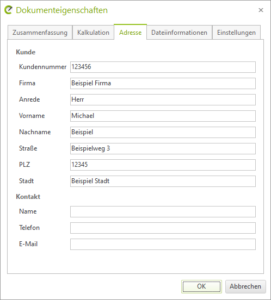
Here you can store your customer's information for the current drawing.
These data are stored only for the individual plan.
Offer settings
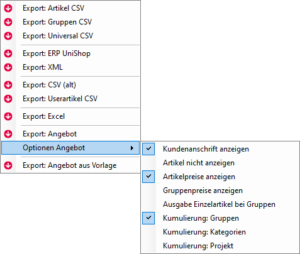
Open the parts list in the Shopfitting tab.
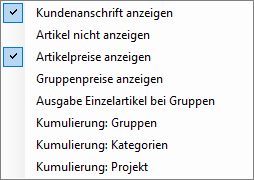
Under Export, you can make the following settings.
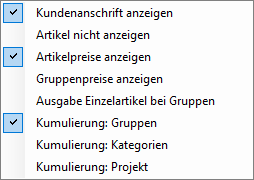
- Customer Address Advertisements
- Do not show article
- Display item prices
- Show group prices
- Output individual items for groups
Show customer address
If previously defined, the customer's address and your company's address are outputted. If no customer information is stored, only your company's address is outputted.
Do not show article
Only the modules and their quantities are output, but not their individual parts.
Display item prices
Output of the individual price and calculation and output of the total price.
Show group prices
Output the price of a group behind the module name.
Output individual items for groups
When creating a quote, all items that are not in a module are listed separately.
Accumulation of supply
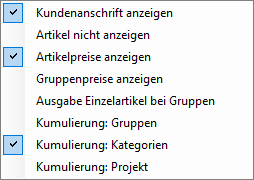
The following options are available for bid aggregation:
- Accumulation Group
- Accumulation Categories
- Project Accumulation
- No option selected
Accumulation Group
Output of the module name in the offer and its quantity.
Sample Offer Representation:
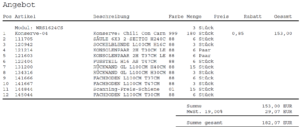
Accumulation Categories
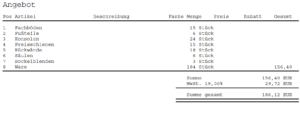
Summary of all categories regardless of their dimensions.
Sample Offer Representation:
Project Accumulation
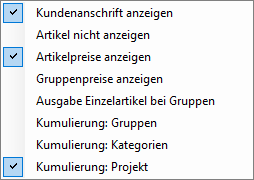
Output project name in the bill of materials and total price.
Sample Offer Representation:
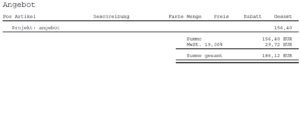
The filename is used as the project name.
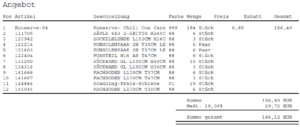
Project Accumulation
Output all individual items.
Sample Offer Representation:
Once all necessary settings have been made, you can under Export with one click on
Export: Offer create a PDF file that takes into account all previously made selections.
Template selection for quote
In the register Ladenbau under Tools → Options → Company, under
Template Offer, Price List following options to choose from.
- Schema1.xml
- Schema1_ENG.xml
- Schema2.xml
- Schema2_ENG.xml
- Schema3.xml
- Schema3_ENG.xml
No template selected
Standard Offer Edition
Output:
- POS (Position)
- Article
- Description
- Color
- Amount
- Price
- Discount
- Total Amount
Schema1.xml / Schema1_ENG.xml
Output of:
- Article
- Description
- Amount
- ME (Measuring Unit)
- Price
- Total Amount
Schema2.xml / Schema2_ENG.xml
Output of:
- Article
- Amount
- Price
- Total Amount
Schema3.xml / Schema3_ENG.xml
Output of:
- manufacturer
- Article
- Description
- Color
- Amount
- ME (Measuring Unit)
- Price
- Total Amount