Unite
The Union tool (Edit tab, Construction group) combines two or more 2D or 3D elements into a single object. The Explode command breaks down a united object into all its individual faces and lines.
To connect objects, follow these steps:
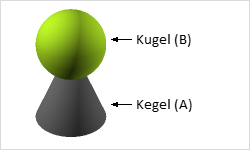
- Select one of the objects you wish to merge (A)
- Switch in the tab to Edit and click on the command Unite
- Next, click on the object you wish to merge (B).
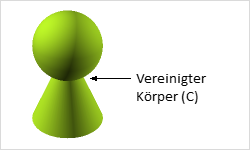
The previously selected individual objects have now been combined into one element (C).
If you assigned different colors or materials to the objects before uniting them, one of the colors or materials will be adopted for the resulting body. A united element can no longer be decomposed into the original objects by dissolving.